Apple MacBook SSD Data Recovery | Mac Data Recovery
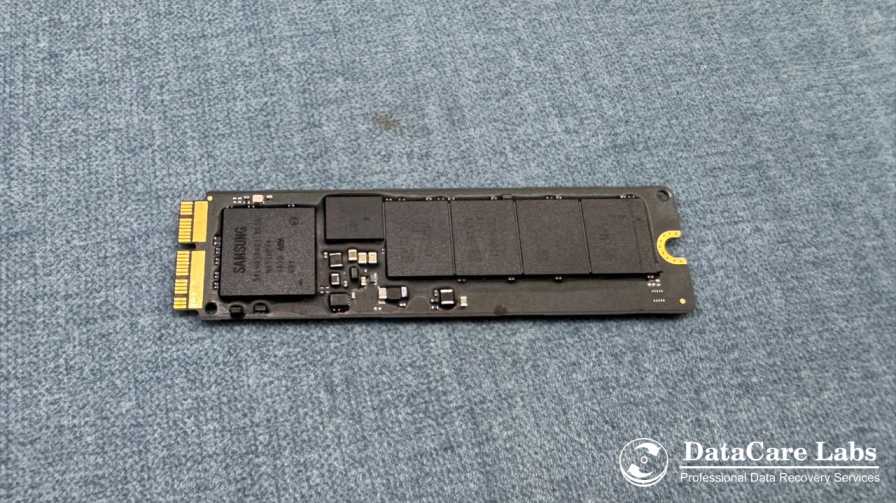
Case Overview :
This case covers a 256GB Apple MacBook SSD from a Nagpur client whose system suddenly stopped loading macOS.Additionally,The device held important work documents, photos, and app data.The MacBook displayed a flashing folder icon during startup, which clearly indicated drive access failure.Our team carried out Apple MacBook SSD Data Recovery in Nagpur, using chip-safe methods to restore the complete APFS directory structure and fully usable files.
- Brand: ADATA
- Capacity: 512GB
- Total Data Size: 352GB
- Success Rate: 100%
Problem Description
The MacBook began freezing frequently and showed long loading times before crashing. Eventually, After several attempts to reboot, Eventually, Disk Utility and macOS Recovery Mode could no longer detect the internal SSD. The client had no Time Machine backup and needed the original file structure restored. DIY fixes such as macOS reinstall or Disk Utility First Aid risked overwriting valuable data, making professional recovery in a controlled environment essential.
Understanding the Apple MacBook SSD Data Recovery Challenge
Moreover, Modern Apple MacBooks use encrypted APFS file systems and proprietary SSD controllers. When the controller fails, the system often cannot detect the SSD even though the NAND chips still contain recoverable data.In addition , Therefore, To restore files safely, the process requires:
- Chip-level NAND reading
- APFS container reconstruction
- Partition and metadata rebuilding
- Validation of files inside real macOS applications
- Moreover, This ensures that recovered files don’t just appear in folders—they actually open and work correctly.
Data Recovery
Our engineers in Nagpur performed a safe chip-level extraction of the SSD’s memory. Using advanced tools, DataCare Labs rebuilt the APFS file system and restored the original folder layout. Furthermore, Priority data such as documents, media folders, and application workspaces were tested to ensure full usability across Mac systems.
Next ,Recovery steps included:
- Secure SSD removal
- Controlled NAND chip reading
- APFS volume reconstruction
- Metadata restoration
- File integrity checks
Moreover, we ensured that the recovery process did not alter or overwrite any data.
Outcome of Data Retrieval
Ultimately , The recovery was 100% successful. As a result, client received:
- Documents and office files
- Photos and videos
- Application support data
- Desktop, Documents, and Downloads folders
- Original folder and file structure
Finally, Everything opened smoothly without relinking or reorganization. We also provided a simple backup routine suited for everyday use to prevent future data loss incidents.
Call to Action – Apple MacBook SSD Data Recovery
Therefore, If your MacBook in Nagpur shows a flashing folder icon, won’t load macOS, or stops detecting its SSD, stop using it immediately. Contact DataCare Labs Nagpur for safe and professional Apple MacBook SSD Data Recovery. With our No Data No Charge policy, you only pay when your data is successfully recovered.

Trusted by Thousands Across the Globe
DataCare Labs is trusted across Pune, India, and worldwide for professional data recovery. With advanced tools, certified clean-room facilities, and expert engineers, we deliver secure, fast, and reliable recovery solutions—whether you’re in Maharashtra or overseas. Experience unmatched care and precision for your valuable data.