Folder Snapshot by DataCare Labs · Free Windows app
Turn Any Folder Into One HTML Report
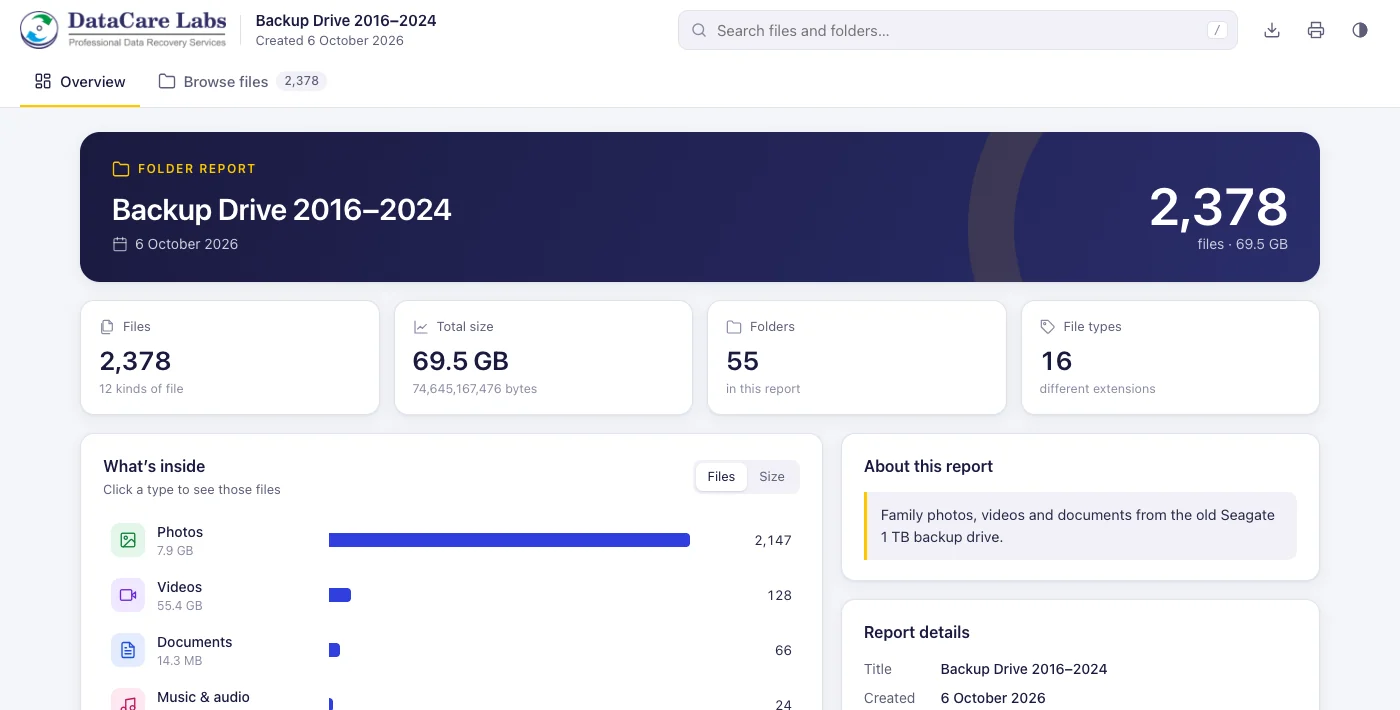
Folder Snapshot creates a single HTML file that lets anyone browse a folder, search its files, see file types and sizes, and explore the complete folder structure, in any web browser, without installing anything.
How it works
Three Steps. One File to Share.
No accounts, no uploads and no setup on the other side. The person you send the report to just double-clicks it.
Choose a folder
Pick any folder or drive, or drag it onto the window. Hidden and system files are left out unless you include them.
Add a title
The title fills in from the folder name. Change it if you like, add an optional description and choose whether to protect the report with a password.
Share one HTML file
Folder Snapshot writes a single .html file. Email it, put it on a USB drive or keep it with your backups.
The Windows app
Simple Enough to Use in a Minute
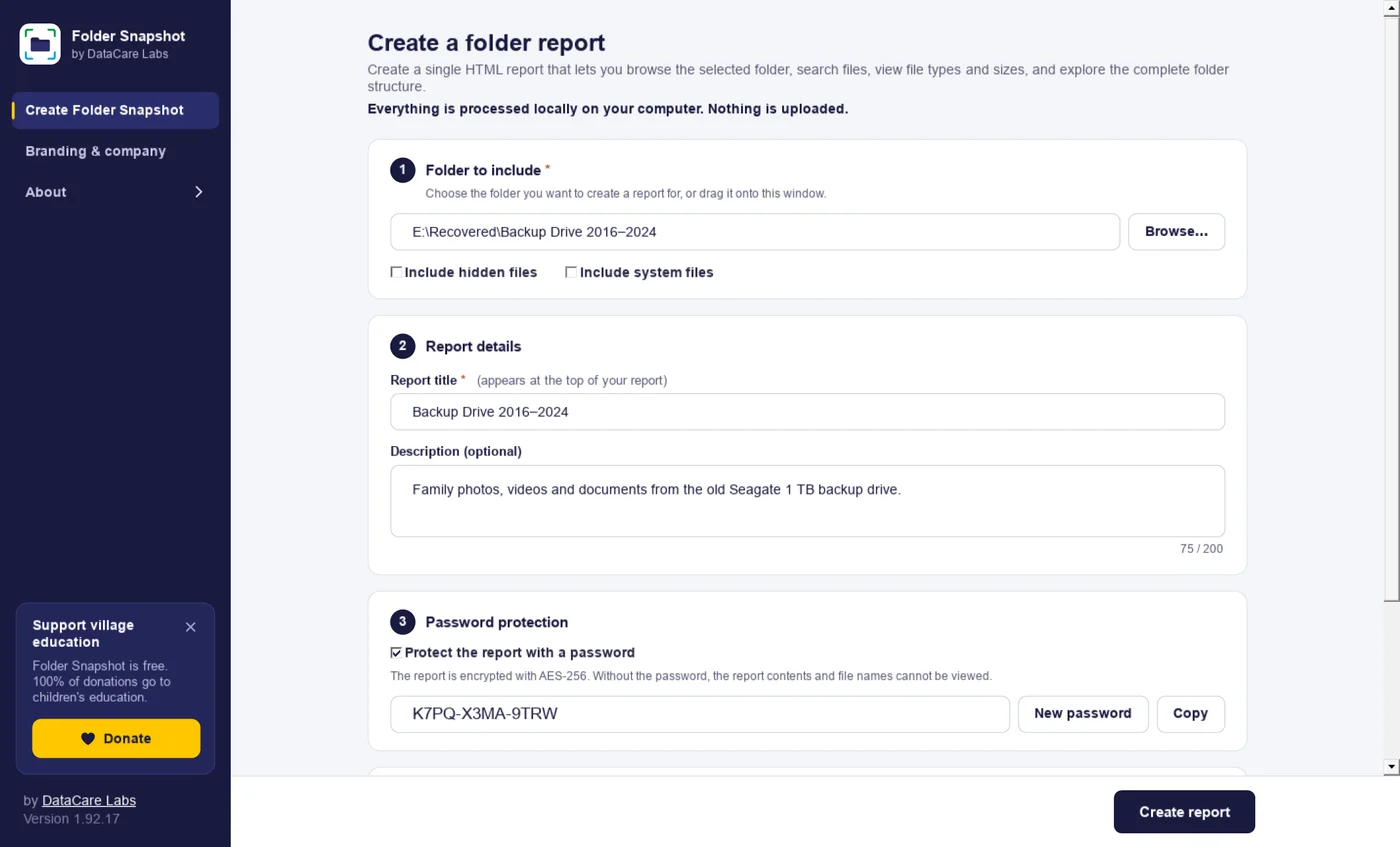
A clean four-step screen: folder, report details, password and save location. Required fields are marked, and the report opens in your browser the moment it is ready.
- Drag and drop a folder onto the window
- Report title and optional description
- Generated passwords that are easy to read out
- Your logo and contact details on every report
Features
Everything You Need to Share a Folder
The HTML report works in Chrome, Edge, Firefox and Safari, and it stays fast even for very large folders.
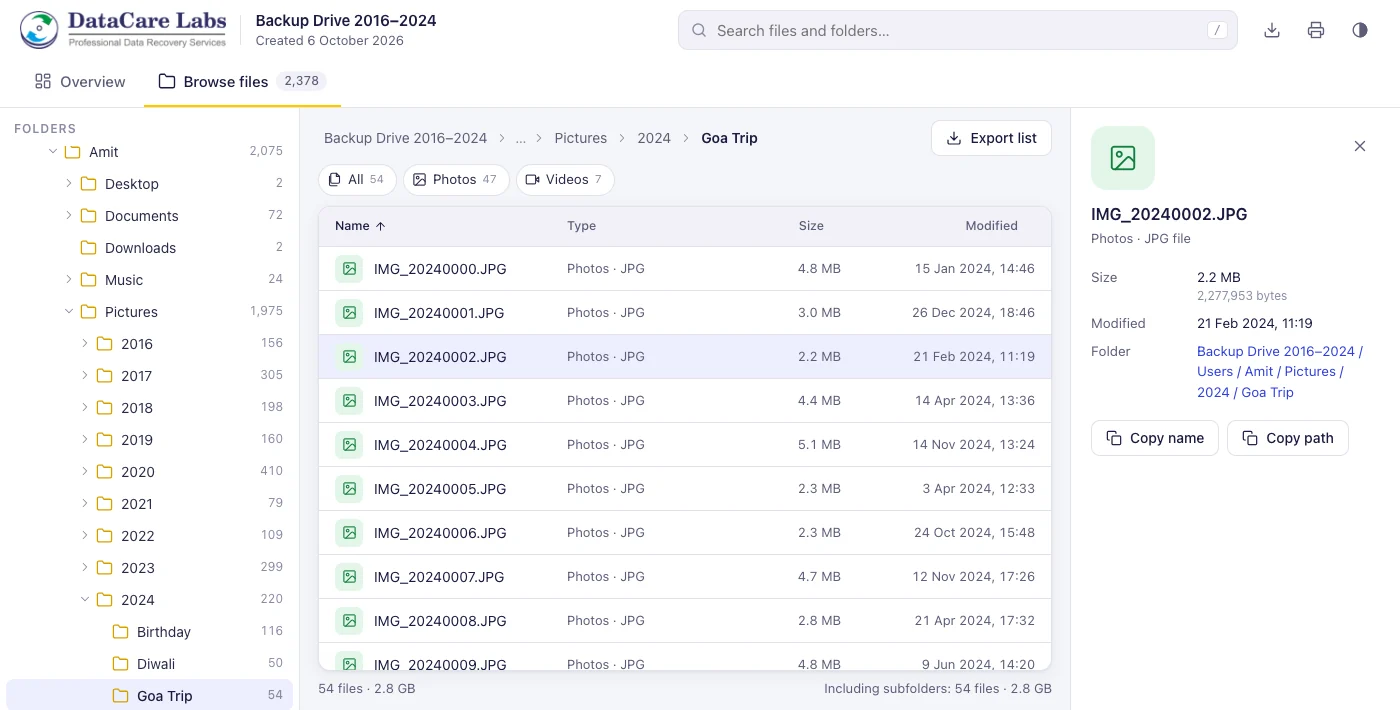
Folder tree and file list
Browse the report like Windows Explorer: open folders on the left, sort by name, type, size or date.
Instant search
Search every file name, with * and ? wildcards such as *.pdf or IMG_2024*. Filter by file type in one click.
File types at a glance
An overview of photos, videos, documents, archives and more, with counts, sizes and the largest folders and files.
Password protection
Optionally encrypt the report with AES-256. Without the password, nobody can read the file list.
Completely offline
Everything is processed on your computer. The app and the reports never upload anything.
100% your branding
Add your logo, company name, contact details and brand colour. Reports UI carry only your brand name to your customers.
Excel-ready export
Download the full file list, or any search result, as a CSV file that opens in Excel. Print the summary as PDF.
Small files, big folders
A folder with 70,000 files makes a report of about 1.3 MB, small enough to email. Tested with a million files.
The report
What People See When They Open Your Report
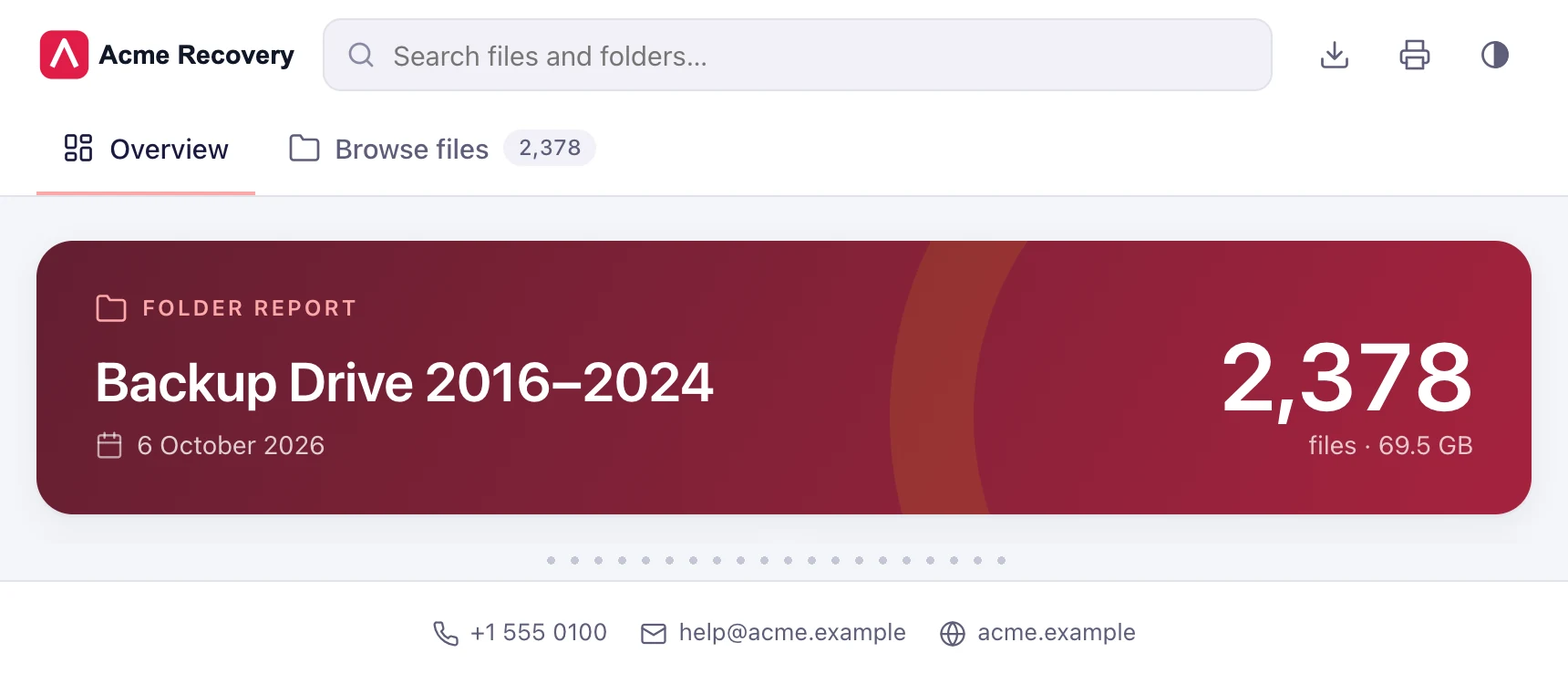
An overview first, then every folder and file. Click any file for its size, date and location.
White-label reports
Your Brand, Not Ours
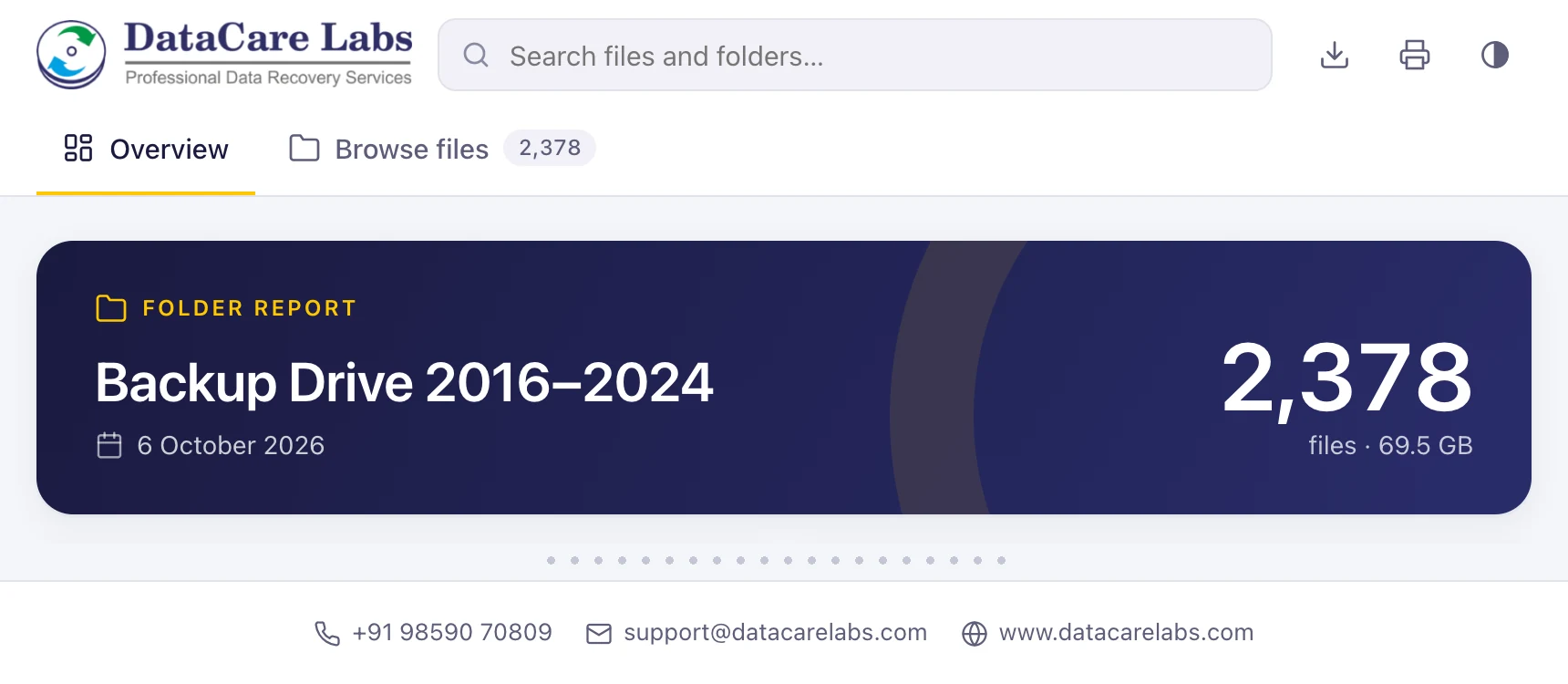
Data recovery labs and IT businesses send Folder Snapshot reports to their own customers. Add your logo, colour and contact details once in Branding & company, and every report you create carries only your brand.
- Your logo, dark-mode logo and icon
- Your brand colour across the whole report
- Your contact number, email and website on every report
- No DataCare name, logo or link shown to your customers
Private by design
Your Files Stay on Your Computer
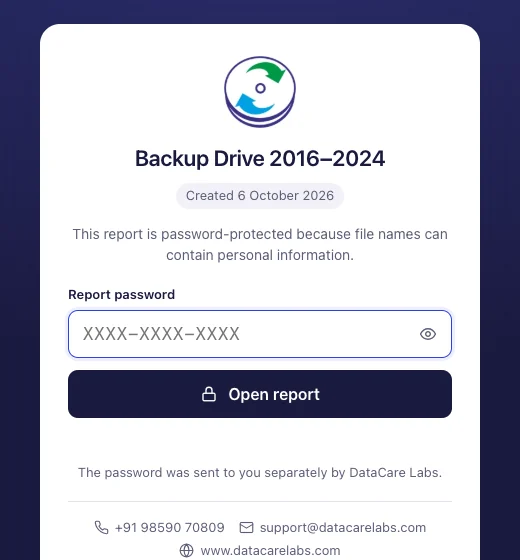
Folder Snapshot lists file names, sizes and dates. It never copies or uploads the files themselves, and reports contain no tracking and make no internet connections.
- Everything is processed locally. Nothing is uploaded.
- Optional AES-256 encryption with a password
- Before the password is entered, only the title, date and your company details show
- Reports open offline, straight from email or a USB drive
Who it is for
One Report, Many Uses
Data recovery labs
Show customers exactly which files were recovered before delivery, in a report that carries only your lab’s brand.
IT teams and consultants
Document what is on a server share, an old drive or a project folder before handing it over.
Backups and archives
Keep a searchable list of what each backup drive contains, without plugging it in.
Photographers and studios
Send clients a browsable list of a delivery or archive by year, event and file type.
Download
Get Folder Snapshot Free
One installer with everything included. Nothing else to install, no account and no time limit.
Free to use under the DataCare Software Licence Agreement.
Support Village Education
Folder Snapshot Is Completely Free to Use
I believe useful technology should be accessible to everyone. When technology can also create an opportunity to give back, it becomes even more meaningful.
Through this project, I want to support the education of children from village communities. If you find Folder Snapshot useful, you can contribute through a donation. 100% of contributions will go towards children’s education.
Every contribution, big or small, can help provide better opportunities for a child.

Folder Snapshot questions
Straight answers about price, privacy, password protection and what the report contains.
Have a question we haven’t answered? Email support@datacarelabs.com.
Free download
Share Any Folder as One HTML File
Download Folder Snapshot for Windows and create your first report in a minute.