HDD Switch by DataCare Labs · Free Windows app
Spin Hard Disks Down and Up With One Click
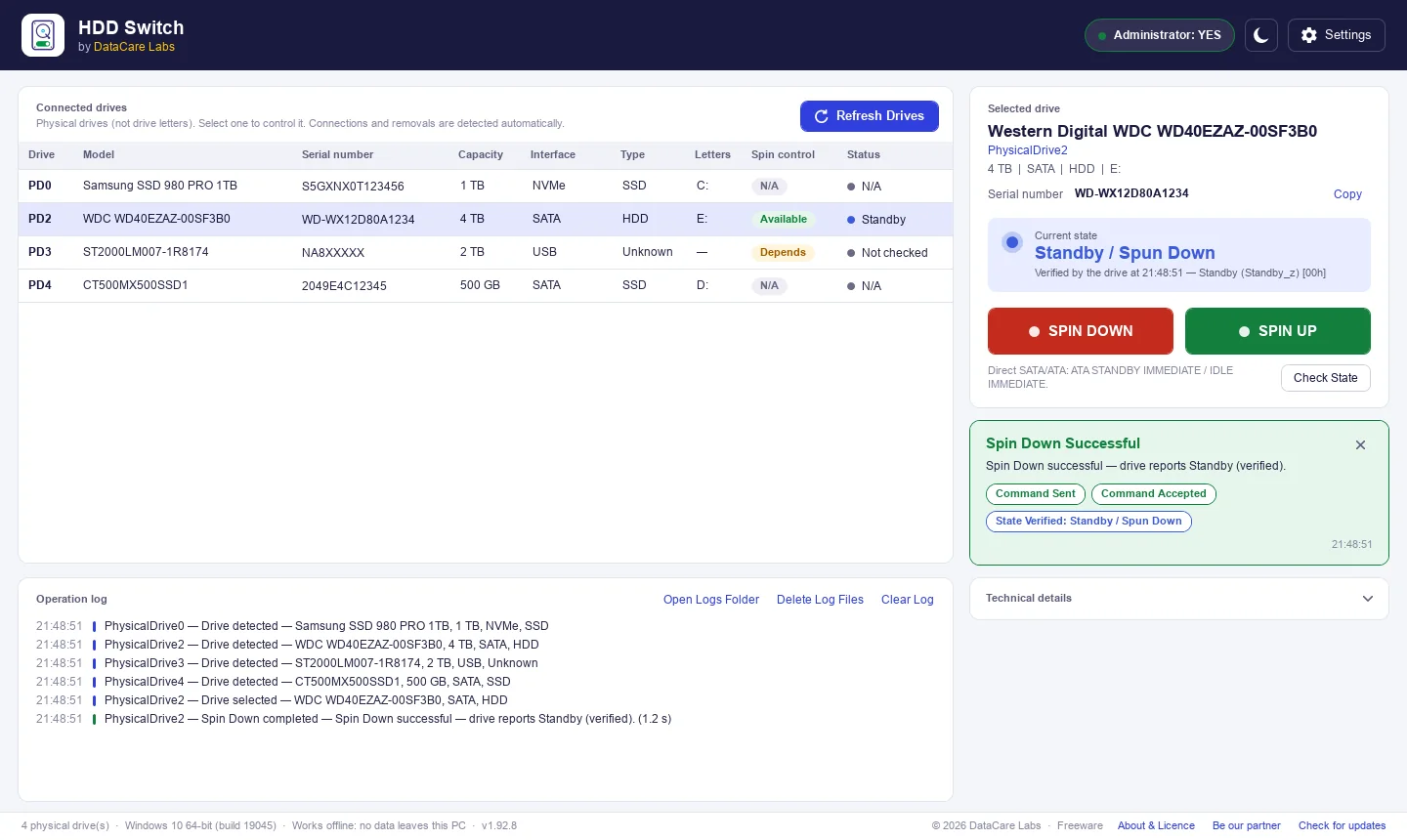
HDD Switch lists every physical drive in your PC and sends real power commands to the hard disk you choose, so you can stop its platters or start them again without unplugging anything. The state you see comes from the drive itself.
How it works
Select. Spin Down. Confirmed.
No drivers, no accounts and no setup. Open the app, pick the hard disk and press one button.
Select the drive
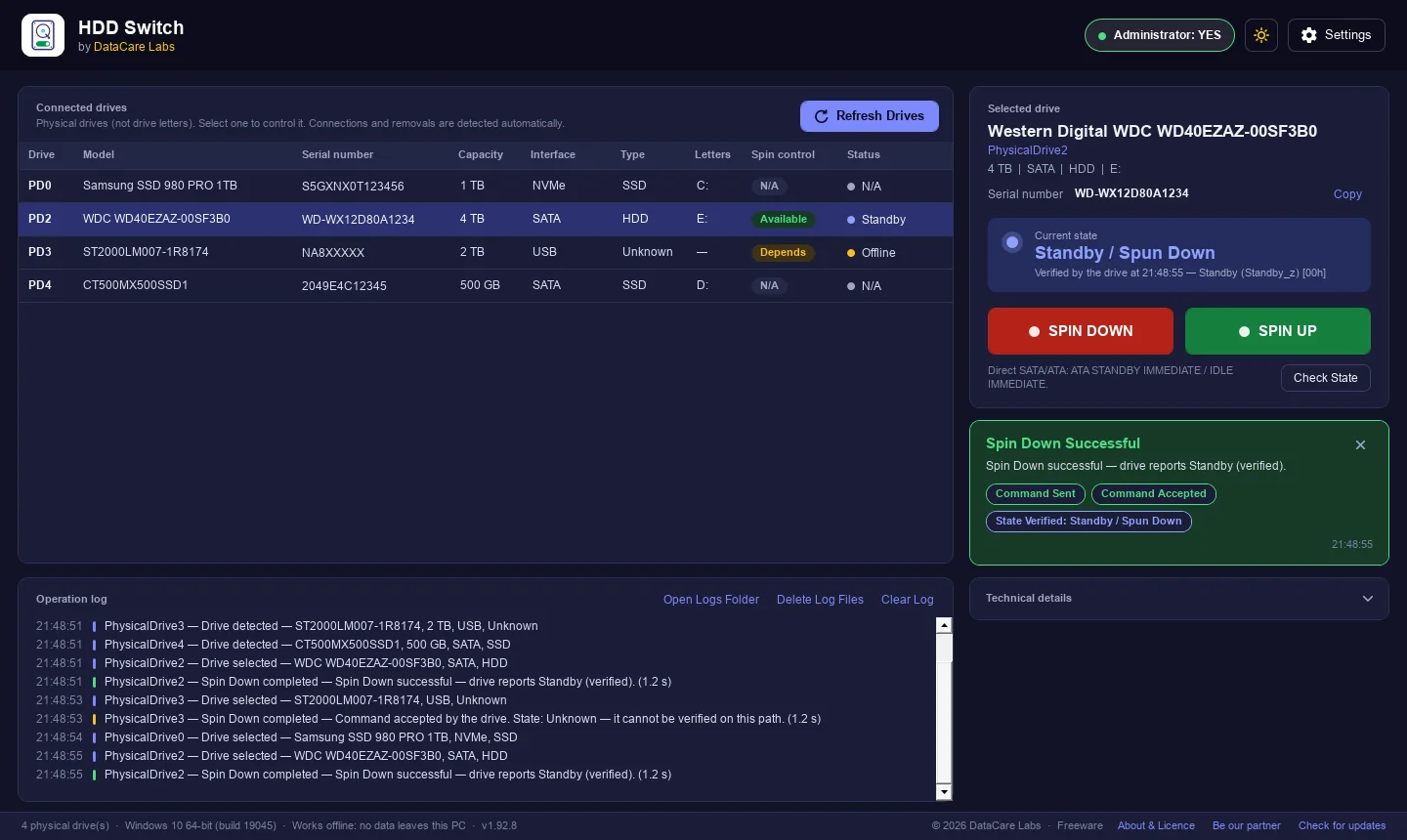
Every physical drive is listed with its model, serial number, capacity, interface, type and drive letters, so you can be sure you have the right disk.
Press Spin Down
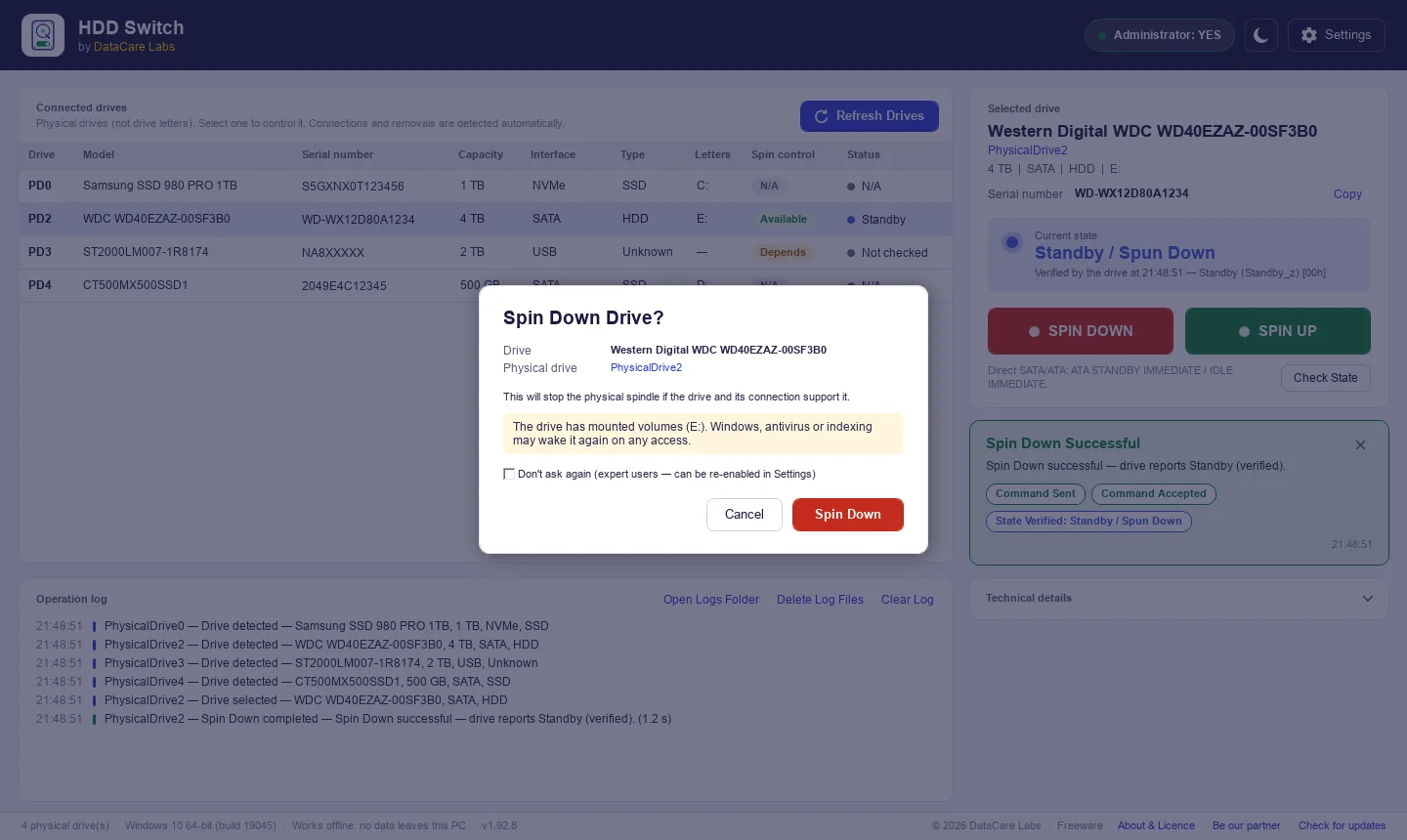
HDD Switch asks you to confirm, flushes the drive’s own cache, then tells the drive to stop its platters. Spin Up starts them again.
See the real state
The app asks the drive for its power state without waking it and shows Standby or Spinning as verified, or Unknown when the connection cannot tell.
Built for the recovery bench
Know Exactly Which Disk You Are Stopping
HDD Switch was made in a data recovery lab, where the wrong disk is never an option. Before anything is sent, you see the drive’s model, PhysicalDrive number and serial number, and you are warned if the drive is in use.
- Physical drives, not just drive letters
- Serial number in the list and on the drive card, with Copy
- Warning when the drive is being read or written
- Confirmation before every Spin Down (can be turned off)
Features
Everything You Need to Rest a Hard Disk
A small, focused tool: see your drives, choose one, spin it down or up, and know that it worked.
Real spindle control
Sends genuine ATA STANDBY IMMEDIATE / IDLE IMMEDIATE or SCSI START STOP UNIT commands to the selected disk.
State verified by the drive
Reads the power state back with CHECK POWER MODE, which does not wake a sleeping disk. No guessing, no fake labels.
SATA, SAS and USB
Works with SATA drives on the motherboard and, depending on the controller or adapter, drives behind SAS HBAs and USB docks.
Safe by design
Never writes data, formats or changes settings. SSDs, NVMe drives and the Windows system disk are protected.
Busy-drive warning
Checks Windows’ own I/O counters before Spin Down and warns you if the disk is being read or written.
Serial numbers at a glance
The serial number the drive reports, in the list and on the selected drive card, ready to copy into your job sheet.
Operation log
Every command and result is time-stamped on screen and in a daily log file on your PC.
Technical details
Bus type, command path, raw drive response and timing for each drive, plus a test mode for checking adapters.
Honest results
It Never Pretends a Disk Has Stopped
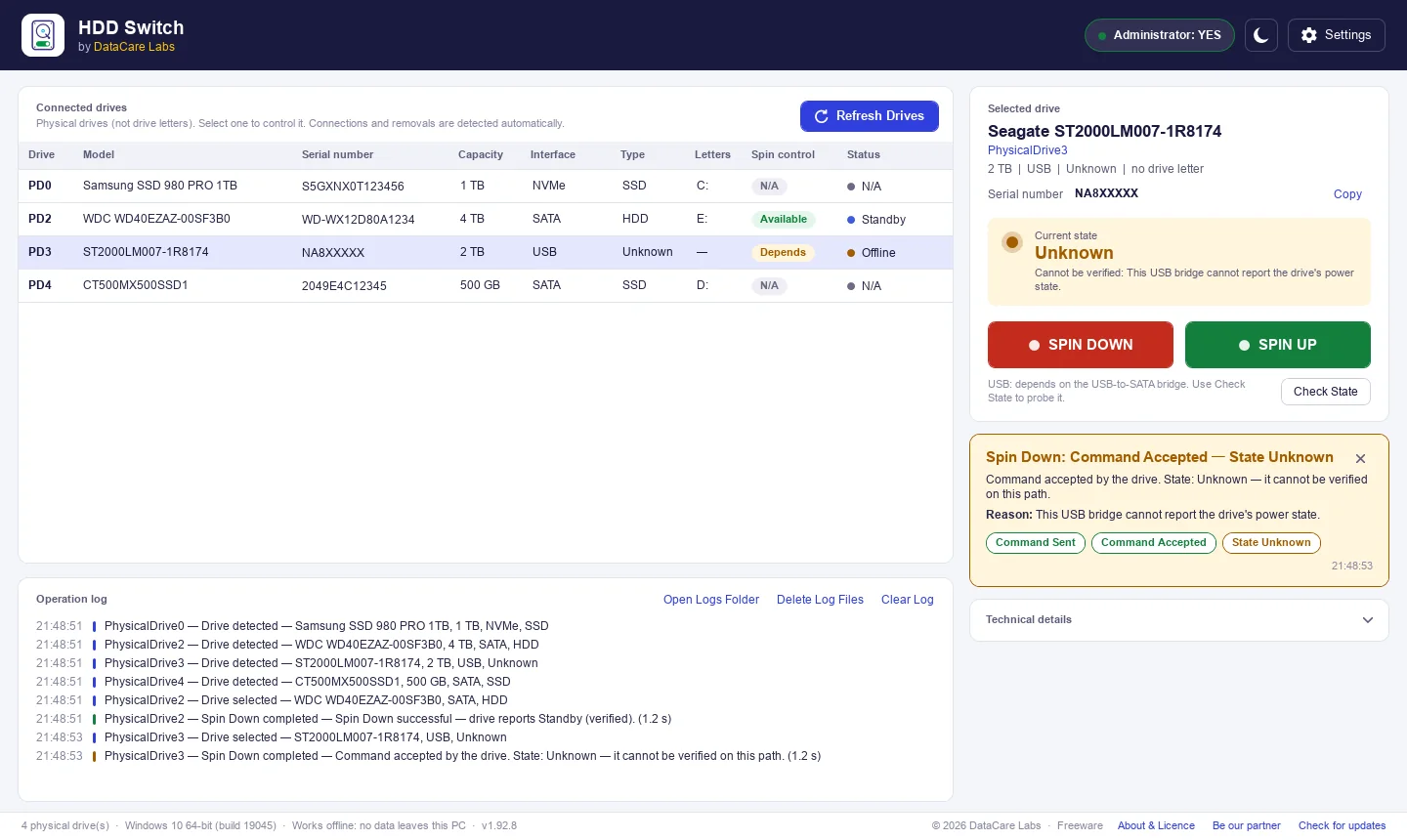
Some USB adapters accept a command but cannot report what the drive did. HDD Switch then says State Unknown instead of showing a reassuring label it cannot prove.
Safe around customer drives
Power Commands Only. Nothing Else.
HDD Switch can only send a fixed set of power and read-only identification commands. There is no way to type in other commands, and it never writes to a drive.
- No writing, formatting, partitioning or firmware commands
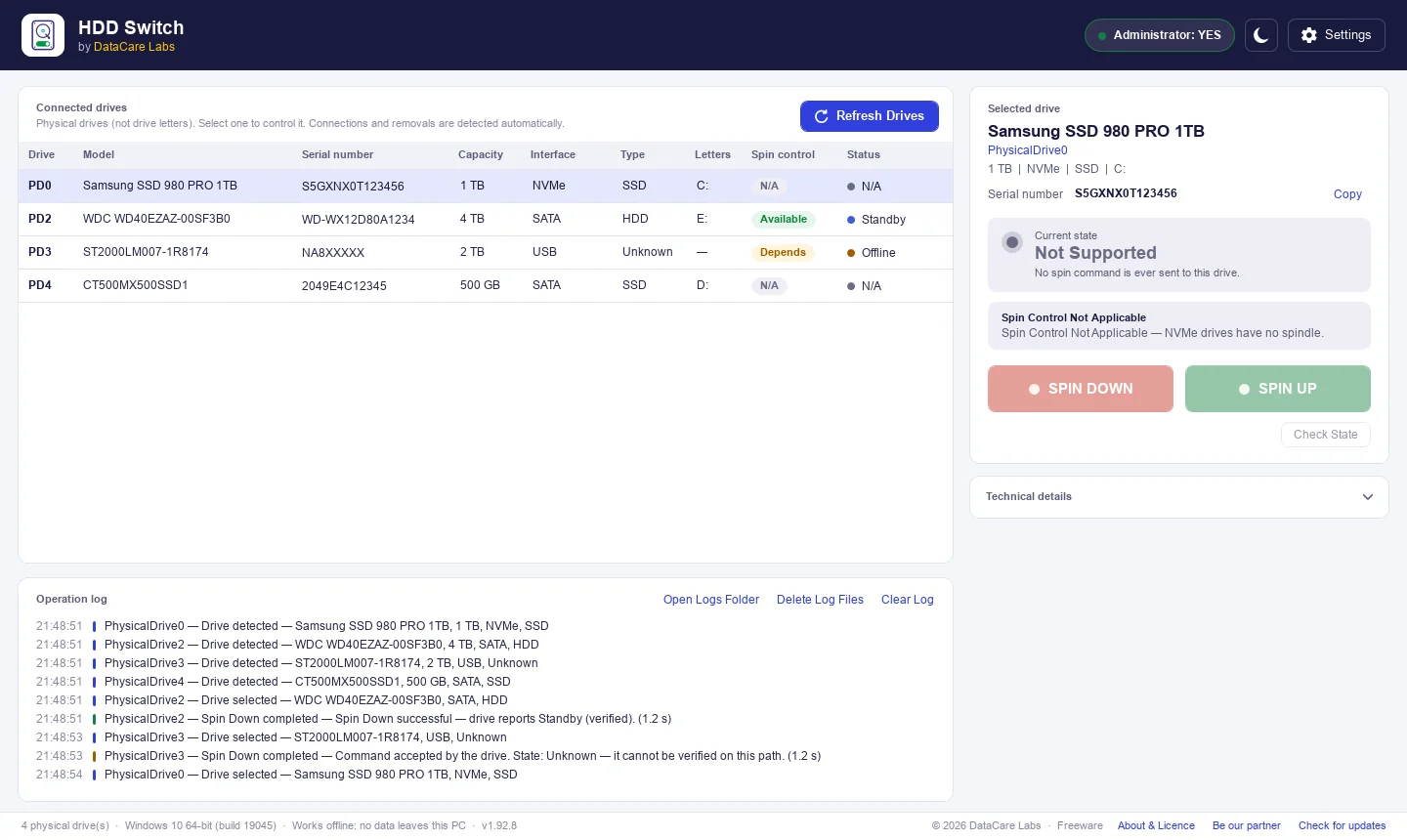
- SSD, NVMe and flash drives get no spin command at all
- Spin Down is blocked on the Windows system disk
- The drive’s cache is flushed before it stops
Who it is for
One Switch, Many Benches
Data recovery labs
Stop a patient drive between imaging passes or before opening it, and confirm it is really in Standby.
Repair shops and technicians
Spin down disks on the bench without unplugging cables, and read model and serial numbers for your records.
Multi-drive workstations
Rest the hard disks you are not using in a PC with several drives, and start them again when you need them.
Backup and archive drives
Stop an attached backup disk once the copy is done, instead of leaving it spinning all day.
Download
Get HDD Switch Free
One installer with everything included. Nothing else to install, no account and no time limit. Light and dark themes.
Free to use under the DataCare Software Licence Agreement.
Support Village Education
HDD Switch Is Completely Free to Use
I believe useful technology should be accessible to everyone. When technology can also create an opportunity to give back, it becomes even more meaningful.
Through this project, I want to support the education of children from village communities. If you find HDD Switch useful, you can contribute through a donation. 100% of contributions will go towards children’s education.
Every contribution, big or small, can help provide better opportunities for a child.

HDD Switch questions
Straight answers about price, safety, supported drives and what Spin Down really does.
Have a question we haven’t answered? Email support@datacarelabs.com.
Free download
Stop Any Hard Disk With One Click
Download HDD Switch for Windows and see every physical drive in your PC in seconds.